
Overview
If you’re having issues completing your Noom purchase or applying a promo code, here’s how to fix it and get started smoothly.
What to Know
- Promo codes can only be applied during sign-up—not after purchase.
- Only one promo code can be used per order.
- Promo codes may expire, so always check the offer’s expiration date.
- Payment and promo code fields are handled through our website (not the app).
- If you signed up through a discounted offer link, you don’t need to enter a promo code—your discount is applied automatically.
What to Do
To Apply a Promo Code When Signing Up:
- Go to the Noom sign-up page (from our website, email, or offer link).
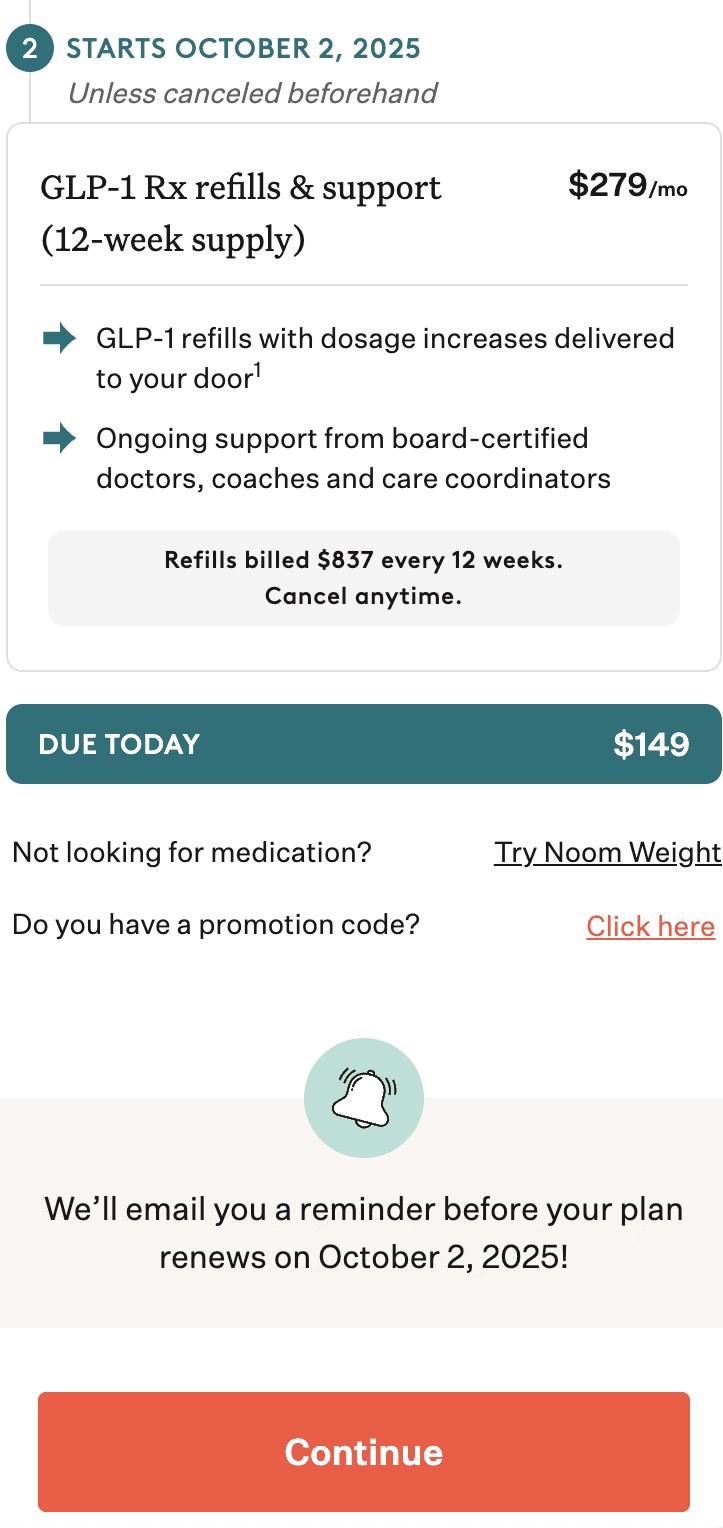
- Enter your promo code in the Promo Code field before completing your payment.
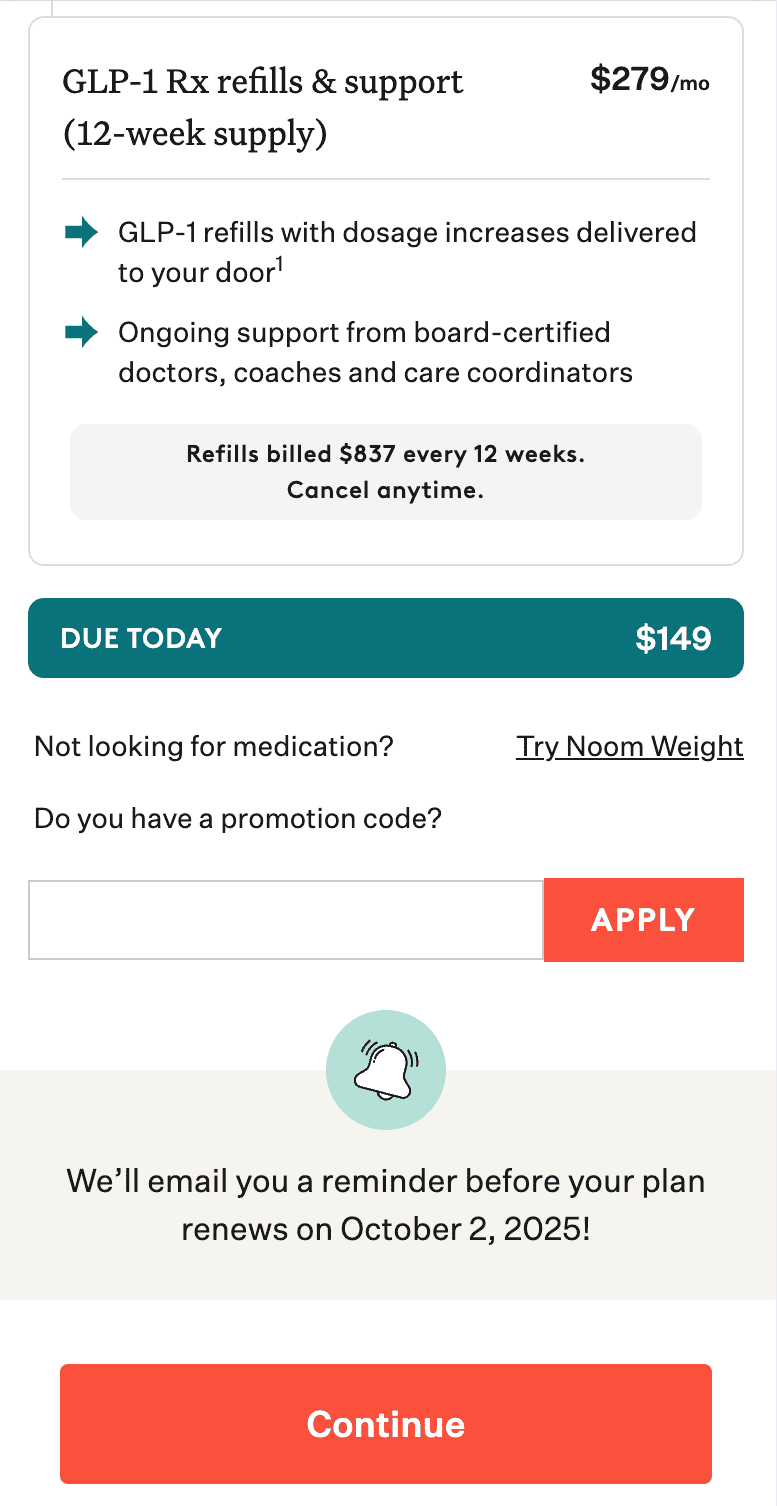
- Confirm that your discount is applied before finalizing the purchase.
💡 Tip: If you clicked a promotional link, the discount is usually applied automatically—no code needed.
If You’re Having Trouble Completing Your Purchase:
- Tips for checking out successfully:
- Try completing your purchase on a computer instead of a phone or mobile device.
- Use a different browser—Chrome or Safari tend to work best.
- Make sure your payment method is up to date and supported. Please note, we don’t accept AMEX for non-USD currencies, reloadable or prepaid gift cards, or HSA/FSA cards.
- Clear your cache and cookies, then try again
Need to Know More?
Q: Can I apply a promo code after I’ve already signed up?
A: No. Promo codes must be applied before completing your purchase.
Q: My promo code didn’t work. What should I do?
A: Make sure you entered it exactly as provided (no spaces, all caps if applicable). If it still doesn’t apply, reach out to Support before finishing your purchase.
Q: I’m still having trouble signing up. What now?
A: If you’ve tried all the steps above and still can’t complete your purchase, contact our Support Team and include details like your device, browser, and the promo code (if used).

